Case Study · Built for internal use
Northlight Meetings
Built for internal use. A call recorder that records a conversation, lets me review what the AI extracts, and files the notes, tasks and dates in the tools I already use. Discovery calls also produce a draft proposal.
Situation
Northlight Meetings was built to turn three kinds of call, discovery calls, client progress calls, and internal or vendor calls, into filed notes, tasks and dates without redoing the work by hand.
A practice that runs on conversations creates a steady stream of after-call work. Discovery calls need to become scoping documents and proposals. Client progress calls need to become updated task lists. Internal and vendor calls need a clean record of what was decided.
In each case the work is the same: reconstructing what was said from notes and memory, while the conversation is still fresh and other work is waiting. Client calls contain sensitive information, so how a tool handles data matters as much as what it produces.
Objective
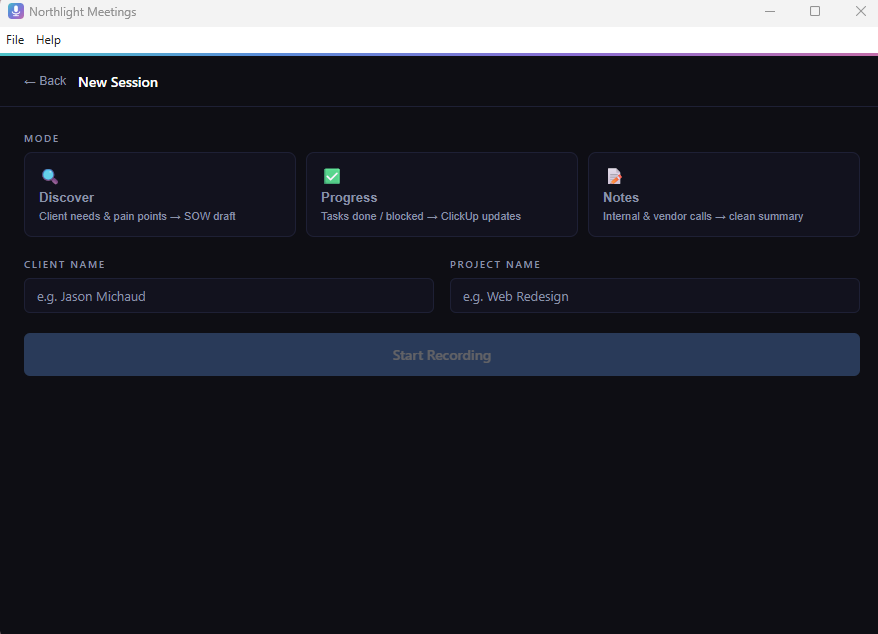
The goal was one tool with three modes, Discover, Progress and Notes, that records a call, extracts what matters, and files it only after review and approval.
One tool covering three kinds of call, so the after-call work happens once and in a consistent format. Every mode also produces action items, key dates and a draft follow-up email. Nothing is filed until the output has been reviewed and approved.
Discover
A client's needs and pain points become a draft statement of work and proposal.
Progress
Tasks completed and blocked become updates in ClickUp.
Notes
Internal and vendor calls become a clean summary with decisions and commitments.
How it works
01 · Discover mode
Discovery Call → Client Proposal
Record a discovery or scoping call in Discover mode. Groq Whisper transcribes both sides of the conversation. The example below uses fictional data. Groq Llama extracts scope, deliverables, timelines, budget signals, and key constraints, then populates the proposal template directly in Google Drive. A formatted, client-ready proposal lands in Drive before you've closed the call window.
02
Record & Transcribe
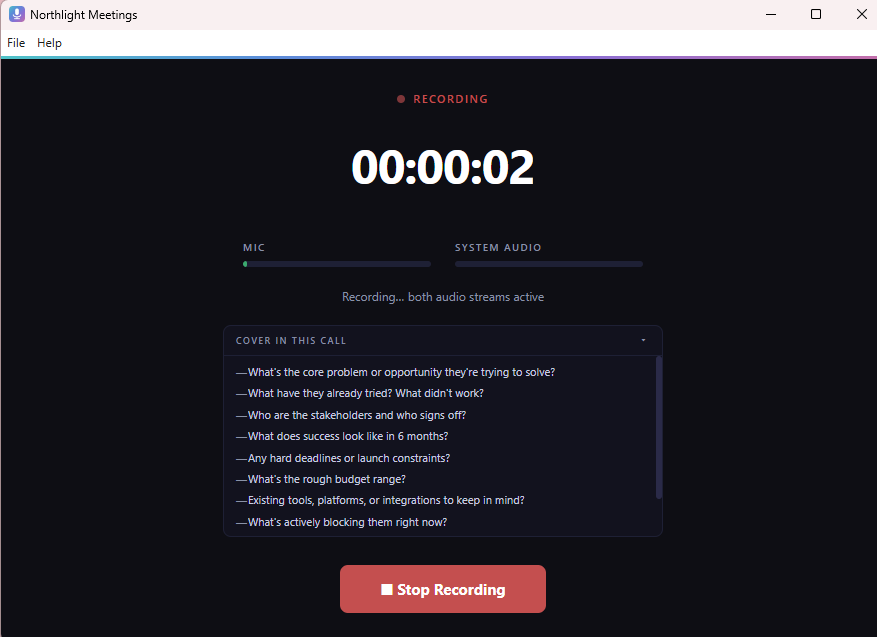
For standing client calls, select Progress mode. Captures both sides simultaneously, your microphone and the remote participant's audio via VB-Audio Cable. Groq Whisper transcribes the full conversation in seconds after you stop.
03
Analyse, Review & File
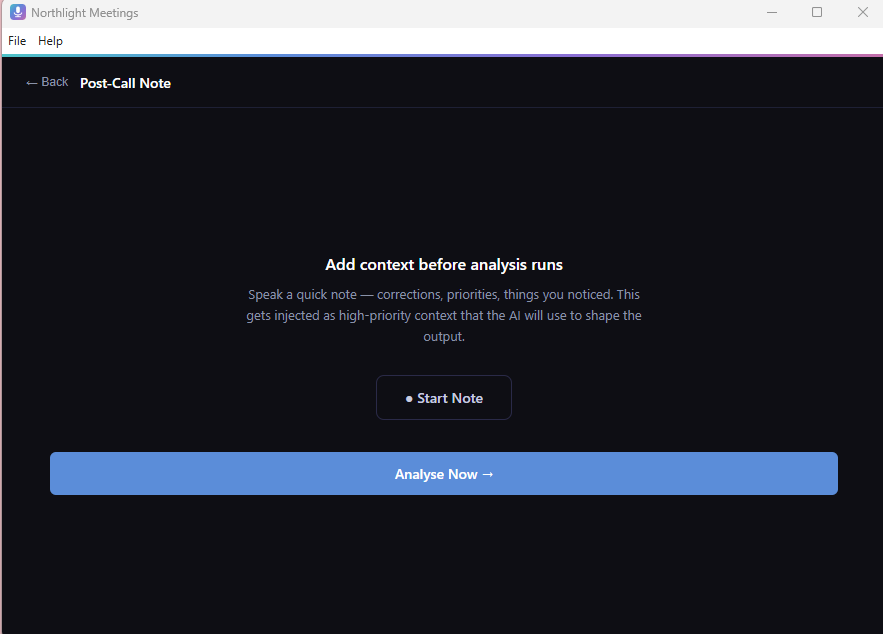
Groq Llama extracts structured meeting notes, action items, and key dates. Review the output, approve or edit items, then push with one click, Drive doc from template, ClickUp tasks from action items, Calendar events from extracted dates. All three in one action.
See it in action
Decisions and the reasoning
Four decisions shaped it: bring your own AI key, record both sides of the call, review before filing, and keep recordings on your own machine.
Bring your own key
The app uses the user's own AI account key instead of routing audio through a Northlight server. Nothing passes through anyone else's system. It also meant asking each user to set up their own key, which added friction. I chose privacy over convenience, and for client calls I would make the same choice again.
Record both sides of the call
The app records the microphone and the other participant's audio at the same time, using a virtual audio cable. Because it records system audio, it works with any call software. This was the core technical problem, and it worked.
Review before filing
Notes go to Google Drive, tasks to ClickUp and dates to Google Calendar only after approval, so the person on the call stays accountable for what is recorded.
Recordings stay on your machine
Recordings are stored locally. Audio is sent to Groq for transcription and analysis under the user's own key, and nothing is stored on a Northlight server.
What it does, and what it doesn't
It records and transcribes calls and files approved notes, tasks and dates. It never files anything without approval, and it never stores recordings on a Northlight server.
What it does
- Records both sides of a call and transcribes it with Groq Whisper
- Extracts action items, decisions and follow-up dates
- Drafts a follow-up email, and a proposal in Discover mode
- Files to Google Drive, ClickUp and Google Calendar once approved
- Works with any call software, since it records system audio
What it doesn't
- File anything without review and approval
- Store recordings or transcripts on a Northlight server
- Connect to the Zoom, Teams or Google Meet APIs
- Share call data with third parties beyond Groq, for transcription and analysis
System architecture
Built with
Results
A discovery call produced a solid proposal draft with about ten minutes of review. No formal time study was run, so no larger claim is made.
A discovery call produced a solid proposal draft with about ten minutes of review. I did not run a formal time study, so I make no claim beyond that.
What I learned
Two lessons: privacy by design has a real usability cost, and a prototype that works for me is not a product other people can rely on.
Privacy by design has a real usability cost
It is worth being explicit about that trade-off before building it in, because users feel it on the first day.
A working prototype is not a product
A prototype that works for me is not something other people can rely on. The distance between the two is larger than the build itself.
How this connects to my client work
Before I recommend or build a tool for a client, I work through the questions I applied here: What problem are we solving, and for whom? What does success look like? What trade-offs are we accepting, and what would make us stop?